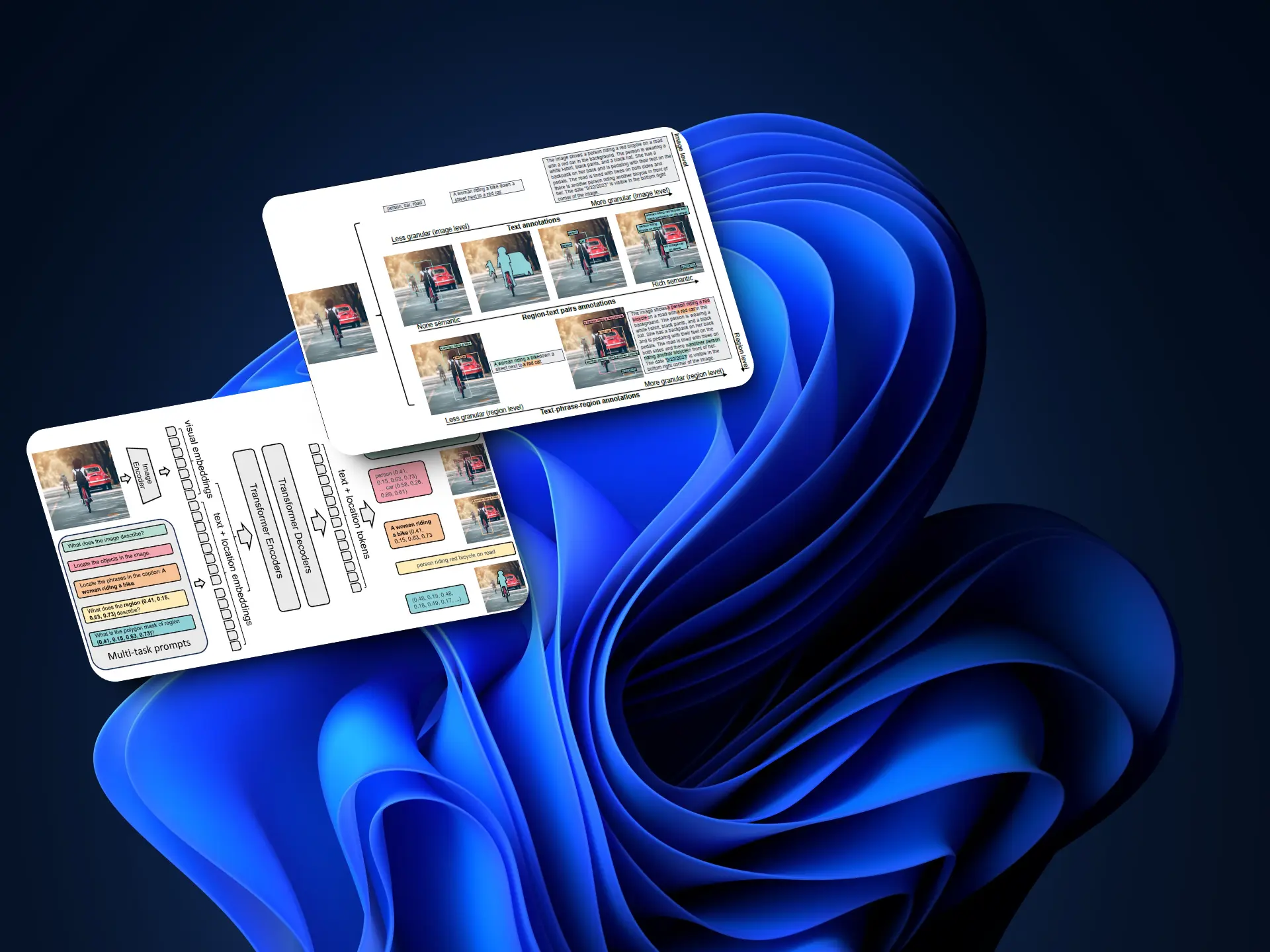
En el post Florence-2 ya explicamos el modelo Florence-2 y vimos cómo usarlo. Así que en este post vamos a ver cómo hacerle fine tuning.
Fine tuning para Document VQA
Este fine tuning está basado en el post de Merve Noyan, Andres Marafioti y Piotr Skalski, Fine-tuning Florence-2 - Microsoft's Cutting-edge Vision Language Models, en el que explican que aunque este método es muy completo no permite hacer preguntas sobre documentos, así que hacen un reentrenamiento con el dataset DocumentVQA
Dataset
En primer lugar descargamos el dataset. Dejo la variable dataset_percentage por si no quieres descargar todo.
InputPythonfrom datasets import load_datasetdataset_percentage = 100data_train = load_dataset("HuggingFaceM4/DocumentVQA", split=f"train[:{dataset_percentage}%]")data_validation = load_dataset("HuggingFaceM4/DocumentVQA", split=f"validation[:{dataset_percentage}%]")data_test = load_dataset("HuggingFaceM4/DocumentVQA", split=f"test[:{dataset_percentage}%]")data_train, data_validation, data_testCopied
(Dataset({features: ['questionId', 'question', 'question_types', 'image', 'docId', 'ucsf_document_id', 'ucsf_document_page_no', 'answers'],num_rows: 39463}),Dataset({features: ['questionId', 'question', 'question_types', 'image', 'docId', 'ucsf_document_id', 'ucsf_document_page_no', 'answers'],num_rows: 5349}),Dataset({features: ['questionId', 'question', 'question_types', 'image', 'docId', 'ucsf_document_id', 'ucsf_document_page_no', 'answers'],num_rows: 5188}))
Hacemos un subset del dataset por si quieres hacer el entrenamiento más rápido, en mi caso uso el 100% de los datos
InputPythonpercentage = 1subset_data_train = data_train.select(range(int(len(data_train) * percentage)))subset_data_validation = data_validation.select(range(int(len(data_validation) * percentage)))subset_data_test = data_test.select(range(int(len(data_test) * percentage)))print(f"train dataset length: {len(subset_data_train)}, validation dataset length: {len(subset_data_validation)}, test dataset length: {len(subset_data_test)}")Copied
train dataset length: 39463, validation dataset length: 5349, test dataset length: 5188
Instanciamos también el modelo
InputPythonfrom transformers import AutoModelForCausalLM, AutoProcessorimport torchdevice = torch.device("cuda" if torch.cuda.is_available() else "cpu")checkpoints = 'microsoft/Florence-2-base-ft'model = AutoModelForCausalLM.from_pretrained(checkpoints, trust_remote_code=True).to(device)processor = AutoProcessor.from_pretrained(checkpoints, trust_remote_code=True)Copied
Al igual que en el post Florence-2 creamos una función para pedirle respuestas al modelo
InputPythondef create_prompt(task_prompt, text_input=None):if text_input is None:prompt = task_promptelse:prompt = task_prompt + text_inputreturn promptCopied
InputPythondef generate_answer(task_prompt, text_input=None, image=None, device="cpu"):# Create promptprompt = create_prompt(task_prompt, text_input)# Ensure the image is in RGB modeif image.mode != "RGB":image = image.convert("RGB")# Get inputsinputs = processor(text=prompt, images=image, return_tensors="pt").to(device)# Get outputsgenerated_ids = model.generate(input_ids=inputs["input_ids"],pixel_values=inputs["pixel_values"],max_new_tokens=1024,early_stopping=False,do_sample=False,num_beams=3,)# Decode the generated IDsgenerated_text = processor.batch_decode(generated_ids, skip_special_tokens=False)[0]# Post-process the generated textparsed_answer = processor.post_process_generation(generated_text,task=task_prompt,image_size=(image.width, image.height))return parsed_answerCopied
Probamos el modelo con 3 documentos del dataset, con la tarea DocVQA a ver si obtenemos algo
InputPythonfor idx in range(3):print(generate_answer(task_prompt="<DocVQA>", text_input='What do you see in this image?', image=data_train[idx]['image'], device=model.device))display(data_train[idx]['image'].resize([350, 350]))Copied
{'<DocVQA>': 'docvQA'}
<PIL.Image.Image image mode=L size=350x350>
{'<DocVQA>': 'docvQA'}
<PIL.Image.Image image mode=L size=350x350>
{'<DocVQA>': 'DocVQA>'}
<PIL.Image.Image image mode=L size=350x350>
InputPythonfor idx in range(3):print(generate_answer(task_prompt="DocVQA", text_input='What do you see in this image?', image=data_train[idx]['image'], device=model.device))display(data_train[idx]['image'].resize([350, 350]))Copied
{'DocVQA': 'unanswerable'}
<PIL.Image.Image image mode=L size=350x350>
{'DocVQA': 'unanswerable'}
<PIL.Image.Image image mode=L size=350x350>
{'DocVQA': '499150498'}
<PIL.Image.Image image mode=L size=350x350>
Vemos que las respuestas no son buenas
Probamos ahora con la tarea OCR
InputPythonfor idx in range(3):print(generate_answer(task_prompt="<OCR>", image=data_train[idx]['image'], device=model.device))display(data_train[idx]['image'].resize([350, 350]))Copied
{'<OCR>': 'ConfidentialDATE:11/8/18RJT FR APPROVALBUBJECT: Rl gdasPROPOSED RELEASE DATE:for responseFOR RELEASE TO!CONTRACT: P. CARTERROUTE TO!NameIntiifnPeggy CarterAce11/fesMura PayneDavid Fishhel037Tom Gisis Com-Diane BarrowsEd BlackmerTow KuckerReturn to Peggy Carter, PR, 16 Raynolds BuildingLLS. 2015Source: https://www.industrydocuments.ucsf.edu/docs/xnbl0037'}
<PIL.Image.Image image mode=L size=350x350>
{'<OCR>': 'ConfidentialDATE:11/8/18RJT FR APPROVALBUBJECT: Rl gdasPROPOSED RELEASE DATE:for responseFOR RELEASE TO!CONTRACT: P. CARTERROUTE TO!NameIntiifnPeggy CarterAce11/fesMura PayneDavid Fishhel037Tom Gisis Com-Diane BarrowsEd BlackmerTow KuckerReturn to Peggy Carter, PR, 16 Raynolds BuildingLLS. 2015Source: https://www.industrydocuments.ucsf.edu/docs/xnbl0037'}
<PIL.Image.Image image mode=L size=350x350>
{'<OCR>': 'BSABROWN & WILLIAMSON JOBACCO CORPORATIONRESEARCH & DEVELOPMENTINTERNAL CORRESPONDENCETO:R. H. HoneycuttCC:C.J. CookFROM:May 9, 1995SUBJECT: Review of Existing Brainstorming Ideas/43The major function of the Product Innovation Ideas is developed marketable novel productsthat would be profile of the manufacturer and sell. Novel is defined as: a new kind, or differentfrom anything seen in known before, Innovation things as something is available. The products mayintroduced and the most technologies, materials and know, available to give a uniquetaste or tok.The first task of the product innovation was was an easy-view review and then a list ofexisting brainstorming ideas. These were group was used for two major categories that may differapparance and lerato,Ideas are grouped into two major products that may offercategories include a combination print of the above, flowers, and packaged and brand directions.ApparanceThis category is used in a novel cigarette constructions that yield visually different products withminimal changes in smokecigarette.Two cigarettes in one.Multi-plug in your.C-Switch menthol or non non smoking cigarette.E-Switch with ORPORated perforations to enable smoke to separate unburned section forfuture smoking.Tout smoking.Bobace section 30 mm.Novelcigarette constructions and permit a significant reduction in tobacco weight whilemaintaining fast smoking mechanics and visual reduction for tobacco weight.higher basis weight paper, potential reduction for cigarette weight.Easter or in an ebony agent for tobacco, e.g. starch.Colored tow and cigarette papers; seasonal promotions, eg. pastel colored cigarettes forEaster and in an Ebony brand containing a mixture of all black (black paper and tow)and all white cigarettes.499150498Source: https://www.industrydocuments.ucs.edu/docs/mxj0037'}
<PIL.Image.Image image mode=L size=350x350>
Obtenemos el texto de los documentos, pero no de qué tratan los documentos.
Por último, probamos con las tareas CAPTION
InputPythonfor idx in range(3):print(generate_answer(task_prompt="<CAPTION>", image=data_train[idx]['image'], device=model.device))print(generate_answer(task_prompt="<DETAILED_CAPTION>", image=data_train[idx]['image'], device=model.device))print(generate_answer(task_prompt="<MORE_DETAILED_CAPTION>", image=data_train[idx]['image'], device=model.device))display(data_train[idx]['image'].resize([350, 350]))Copied
{'<CAPTION>': 'A certificate is stamped with the date of 18/18.'}{'<DETAILED_CAPTION>': 'In this image we can see a paper with some text on it.'}{'<MORE_DETAILED_CAPTION>': 'A letter is written in black ink on a white paper. The letters are written in a cursive language. The letter is addressed to peggy carter. '}
<PIL.Image.Image image mode=L size=350x350>
{'<CAPTION>': 'A certificate is stamped with the date of 18/18.'}{'<DETAILED_CAPTION>': 'In this image we can see a paper with some text on it.'}{'<MORE_DETAILED_CAPTION>': 'A letter is written in black ink on a white paper. The letters are written in a cursive language. The letter is addressed to peggy carter. '}
<PIL.Image.Image image mode=L size=350x350>
{'<CAPTION>': "a paper that says 'brown & williamson tobacco corporation research & development' on it"}{'<DETAILED_CAPTION>': 'In this image we can see a paper with some text on it.'}{'<MORE_DETAILED_CAPTION>': 'The image is a page from a book titled "Brown & Williamson Jobacco Corporation Research & Development". The page is white and has black text. The title of the page is "R. H. Honeycutt" at the top. There is a logo of the company BSA in the top right corner. A paragraph is written in black text below the title.'}
<PIL.Image.Image image mode=L size=350x350>
Tampoco nos valen estas respuestas, así que vamos a hacer el fine tuning
Fine tuning
Primero creamos un dataset de Pytorch
InputPythonfrom torch.utils.data import Datasetclass DocVQADataset(Dataset):def __init__(self, data):self.data = datadef __len__(self):return len(self.data)def __getitem__(self, idx):example = self.data[idx]question = "<DocVQA>" + example['question']first_answer = example['answers'][0]image = example['image']if image.mode != "RGB":image = image.convert("RGB")return question, first_answer, imageCopied
InputPythontrain_dataset = DocVQADataset(subset_data_train)val_dataset = DocVQADataset(subset_data_validation)Copied
Vamos a verlo
InputPythontrain_dataset[0]Copied
('<DocVQA>what is the date mentioned in this letter?','1/8/93',<PIL.Image.Image image mode=RGB size=1695x2025>)
InputPythondata_train[0]Copied
{'questionId': 337,'question': 'what is the date mentioned in this letter?','question_types': ['handwritten', 'form'],'image': <PIL.PngImagePlugin.PngImageFile image mode=L size=1695x2025>,'docId': 279,'ucsf_document_id': 'xnbl0037','ucsf_document_page_no': '1','answers': ['1/8/93']}
Creamos un DataLoader
InputPythonimport osfrom torch.utils.data import DataLoaderfrom tqdm import tqdmfrom transformers import (AdamW, AutoProcessor, get_scheduler)def collate_fn(batch):questions, answers, images = zip(*batch)inputs = processor(text=list(questions), images=list(images), return_tensors="pt", padding=True).to(device)return inputs, answers# Create DataLoaderbatch_size = 8num_workers = 0train_loader = DataLoader(train_dataset, batch_size=batch_size, collate_fn=collate_fn, num_workers=num_workers, shuffle=True)val_loader = DataLoader(val_dataset, batch_size=batch_size, collate_fn=collate_fn, num_workers=num_workers)Copied
Vamos a ver una muestra
InputPythonsample = next(iter(train_loader))Copied
InputPythonsampleCopied
({'input_ids': tensor([[ 0, 41552, 42291, 846, 1864, 250, 15698, 12375, 16, 5,3383, 9, 331, 9, 2042, 116, 2, 1, 1, 1,1, 1, 1],[ 0, 41552, 42291, 846, 1864, 250, 15698, 2264, 16, 5,11968, 196, 205, 22922, 346, 17487, 2, 1, 1, 1,1, 1, 1],[ 0, 41552, 42291, 846, 1864, 250, 15698, 2264, 16, 5,1229, 13, 403, 690, 116, 2, 1, 1, 1, 1,1, 1, 1],[ 0, 41552, 42291, 846, 1864, 250, 15698, 2264, 16, 5,5480, 1280, 116, 2, 1, 1, 1, 1, 1, 1,1, 1, 1],[ 0, 41552, 42291, 846, 1864, 250, 15698, 12196, 16, 5,1842, 346, 13, 20, 4680, 41828, 42237, 8, 30147, 17487,2, 1, 1],[ 0, 41552, 42291, 846, 1864, 250, 15698, 560, 61, 675,473, 42, 1013, 266, 9943, 7, 116, 2, 1, 1,1, 1, 1],[ 0, 41552, 42291, 846, 1864, 250, 15698, 12196, 16, 5,1280, 9, 39432, 642, 6228, 2394, 2801, 11, 5, 576,266, 17487, 2],[ 0, 41552, 42291, 846, 1864, 250, 15698, 2264, 16, 1982,11, 5, 6655, 2325, 23, 5, 299, 235, 9, 5,3780, 116, 2]]), 'attention_mask': tensor([[1, 1, 1, 1, 1, 1, 1, 1, 1, 1, 1, 1, 1, 1, 1, 1, 1, 0, 0, 0, 0, 0, 0],[1, 1, 1, 1, 1, 1, 1, 1, 1, 1, 1, 1, 1, 1, 1, 1, 1, 0, 0, 0, 0, 0, 0],...'97.00','123','1 January 1979 - 31 December 1979','$2,720.14','GPI'))
La muestra en crudo es mucha información, así que vamos a ver la longitud de la muestra
InputPythonlen(sample)Copied
2
Obtenemos una longitud de 2 porque tenemos la entrada al modelo y la respuesta
InputPythonsample_inputs = sample[0]sample_answers = sample[1]Copied
Vemos la entrada
InputPythonsample_inputsCopied
{'input_ids': tensor([[ 0, 41552, 42291, 846, 1864, 250, 15698, 12375, 16, 5,3383, 9, 331, 9, 2042, 116, 2, 1, 1, 1,1, 1, 1],[ 0, 41552, 42291, 846, 1864, 250, 15698, 2264, 16, 5,11968, 196, 205, 22922, 346, 17487, 2, 1, 1, 1,1, 1, 1],[ 0, 41552, 42291, 846, 1864, 250, 15698, 2264, 16, 5,1229, 13, 403, 690, 116, 2, 1, 1, 1, 1,1, 1, 1],[ 0, 41552, 42291, 846, 1864, 250, 15698, 2264, 16, 5,5480, 1280, 116, 2, 1, 1, 1, 1, 1, 1,1, 1, 1],[ 0, 41552, 42291, 846, 1864, 250, 15698, 12196, 16, 5,1842, 346, 13, 20, 4680, 41828, 42237, 8, 30147, 17487,2, 1, 1],[ 0, 41552, 42291, 846, 1864, 250, 15698, 560, 61, 675,473, 42, 1013, 266, 9943, 7, 116, 2, 1, 1,1, 1, 1],[ 0, 41552, 42291, 846, 1864, 250, 15698, 12196, 16, 5,1280, 9, 39432, 642, 6228, 2394, 2801, 11, 5, 576,266, 17487, 2],[ 0, 41552, 42291, 846, 1864, 250, 15698, 2264, 16, 1982,11, 5, 6655, 2325, 23, 5, 299, 235, 9, 5,3780, 116, 2]]), 'attention_mask': tensor([[1, 1, 1, 1, 1, 1, 1, 1, 1, 1, 1, 1, 1, 1, 1, 1, 1, 0, 0, 0, 0, 0, 0],[1, 1, 1, 1, 1, 1, 1, 1, 1, 1, 1, 1, 1, 1, 1, 1, 1, 0, 0, 0, 0, 0, 0],...[ 2.6400, 2.6400, 2.6400, ..., 1.3502, 0.7925, 1.3502],[ 2.6400, 2.6400, 2.6400, ..., 0.9319, 1.4025, 0.8448],[ 2.6400, 2.6400, 2.6400, ..., 1.0365, 1.2282, 0.8099]]]])}
La entrada en crudo también tiene demasiada información, así que vamos a ver las keys
InputPythonsample_inputs.keys()Copied
dict_keys(['input_ids', 'attention_mask', 'pixel_values'])
Como vemos tenemos los input_ids y los attention_mask que corresponden al texto de entrada y los pixel_values que corresponden a la imagen. Vamos a ver la dimención de cada uno
InputPythonsample_inputs['input_ids'].shape, sample_inputs['attention_mask'].shape, sample_inputs['pixel_values'].shapeCopied
(torch.Size([8, 23]), torch.Size([8, 23]), torch.Size([8, 3, 768, 768]))
En todos hay 8 elementos, porque al crear el dataloader pusimos un batch size de 8. En los input_ids y attention_mask cada elemento tiene 28 tokens y en los pixel_values cada elemento tiene 3 canales, 768 píxeles de alto y 768 píxeles de ancho
Vamos ahora a ver las respuestas
InputPythonsample_answersCopied
('JAMES A. RHODES','1-800-992-3284','$50,000','97.00','123','1 January 1979 - 31 December 1979','$2,720.14','GPI')
Hemos obtenido 8 respuestas, por lo mismo que antes, porque al crear el dataloader pusimos un batch size de 8
InputPythonlen(sample_answers)Copied
8
Creamos una función para hacer el fine tuning
InputPythondef train_model(train_loader, val_loader, model, processor, epochs=10, lr=1e-6):optimizer = AdamW(model.parameters(), lr=lr)num_training_steps = epochs * len(train_loader)lr_scheduler = get_scheduler(name="linear",optimizer=optimizer,num_warmup_steps=0,num_training_steps=num_training_steps,)for epoch in range(epochs):# Training phaseprint(f" Training Epoch {epoch + 1}/{epochs}")model.train()train_loss = 0i = -1for batch in tqdm(train_loader, desc=f"Training Epoch {epoch + 1}/{epochs}"):i += 1inputs, answers = batchinput_ids = inputs["input_ids"]pixel_values = inputs["pixel_values"]labels = processor.tokenizer(text=answers, return_tensors="pt", padding=True, return_token_type_ids=False).input_ids.to(device)outputs = model(input_ids=input_ids, pixel_values=pixel_values, labels=labels)loss = outputs.lossloss.backward()optimizer.step()lr_scheduler.step()optimizer.zero_grad()train_loss += loss.item()avg_train_loss = train_loss / len(train_loader)print(f"Average Training Loss: {avg_train_loss}")# Validation phasemodel.eval()val_loss = 0with torch.no_grad():for batch in tqdm(val_loader, desc=f"Validation Epoch {epoch + 1}/{epochs}"):inputs, answers = batchinput_ids = inputs["input_ids"]pixel_values = inputs["pixel_values"]labels = processor.tokenizer(text=answers, return_tensors="pt", padding=True, return_token_type_ids=False).input_ids.to(device)outputs = model(input_ids=input_ids, pixel_values=pixel_values, labels=labels)loss = outputs.lossval_loss += loss.item()avg_val_loss = val_loss / len(val_loader)print(f"Average Validation Loss: {avg_val_loss}")Copied
Entrenamos
InputPythontrain_model(train_loader, val_loader, model, processor, epochs=3, lr=1e-6)Copied
Training Epoch 1/3
Training Epoch 1/3: 100%|██████████| 4933/4933 [2:45:28<00:00, 2.01s/it]
Average Training Loss: 1.153514638062836
Validation Epoch 1/3: 100%|██████████| 669/669 [13:52<00:00, 1.24s/it]
Average Validation Loss: 0.7698153616646124Training Epoch 2/3
Training Epoch 2/3: 100%|██████████| 4933/4933 [2:42:51<00:00, 1.98s/it]
Average Training Loss: 0.6530420315007687
Validation Epoch 2/3: 100%|██████████| 669/669 [13:48<00:00, 1.24s/it]
Average Validation Loss: 0.725301219375946Training Epoch 3/3
Training Epoch 3/3: 100%|██████████| 4933/4933 [2:42:52<00:00, 1.98s/it]
Average Training Loss: 0.5878197003753292
Validation Epoch 3/3: 100%|██████████| 669/669 [13:45<00:00, 1.23s/it]
Average Validation Loss: 0.716769086751079
Probar el modelo fine tuned
Probamos ahora el modelo en unos cuantos documentos del conjunto de test
InputPythonfor idx in range(3):print(generate_answer(task_prompt="<DocVQA>", text_input='What do you see in this image?', image=data_test[idx]['image'], device=model.device))display(data_test[idx]['image'].resize([350, 350]))Copied
{'<DocVQA>': 'CAGR 19%'}
<PIL.Image.Image image mode=L size=350x350>
{'<DocVQA>': 'memorandum'}
<PIL.Image.Image image mode=L size=350x350>
{'<DocVQA>': '14000'}
<PIL.Image.Image image mode=L size=350x350>
Vemos que nos da información
Vamos ahora a volver a probar sobre el conjunto de test, para comparar con lo que salía antes de entrenar
InputPythonfor idx in range(3):print(generate_answer(task_prompt="<DocVQA>", text_input='What do you see in this image?', image=data_train[idx]['image'], device=model.device))display(data_train[idx]['image'].resize([350, 350]))Copied
{'<DocVQA>': 'Confidential'}
<PIL.Image.Image image mode=L size=350x350>
{'<DocVQA>': 'Confidential'}
<PIL.Image.Image image mode=L size=350x350>
{'<DocVQA>': 'Brown & Williamson Tobacco Corporation Research & Development'}
<PIL.Image.Image image mode=L size=350x350>
No da muy buenos resultados, pero solo hemos entrenado 3 epoch. Aunque se podría mejorar entrenando más, lo que se puede ver es que cuando antes usábamos el tag de tarea <DocVQA> no obteníamos respuesta, pero ahora sí.